Pokémon Cafe Verification Code or Confirmation Email Not Arriving? What to Check
The official Pokémon Cafe site emails you a verification code in the middle of booking, then a confirmation once it's done. If either one doesn't show up, here's what to check, based on the official reservation site and FAQ as of November 2026.
Last checked against the official site: 16 October 2026

Set up your inbox before release day
The verification code has to be entered within a few minutes, so a slow or filtered inbox can cost you the seat. Sort it out before you start:
- Allow email from the domain @mail-pokemon-cafe.jp in your spam or domain filter settings.
- Add the address to your contacts, and keep your inbox open in another tab or on your phone while you book.
- Use an email address you can open straight away. Each address can hold only one reservation at a time, so use a different one for each booking.
The verification code didn't arrive
- 1Check your junk, spam and promotions folders. Filters that restrict or reject mail can block messages from @mail-pokemon-cafe.jp.
- 2Check the email address you typed. If it's wrong, the site can't send the code to you.
- 3Give it a moment. The official FAQ notes that network or server congestion can delay emails, especially when many people are booking at once.
If the time to enter the code runs out, the booking isn't completed, so you'll need to go through the steps again for any seat that's still available.
No confirmation email after booking
According to the official FAQ, a missing confirmation email can mean the reservation wasn't actually completed. Don't assume you have a seat until you've checked.
- Search your inbox, including spam, for mail from @mail-pokemon-cafe.jp.
- If you have a reservation ID, enter it on the reservation check page at the bottom of the official reservation site to see the booking.
- If you can't find any record of the booking, it most likely didn't go through, and the seat may still be open to book.
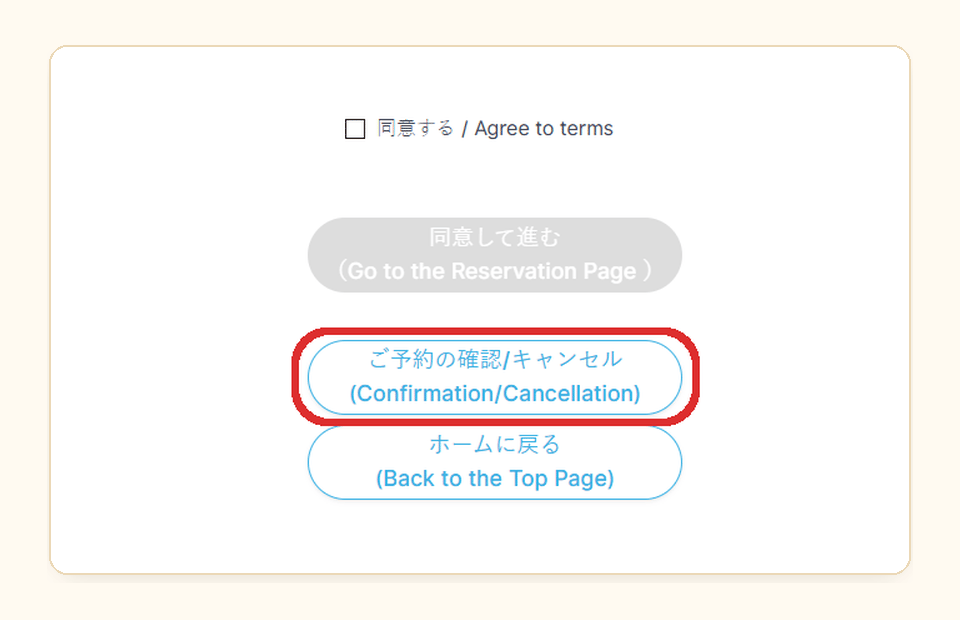
1. Open the confirmation page
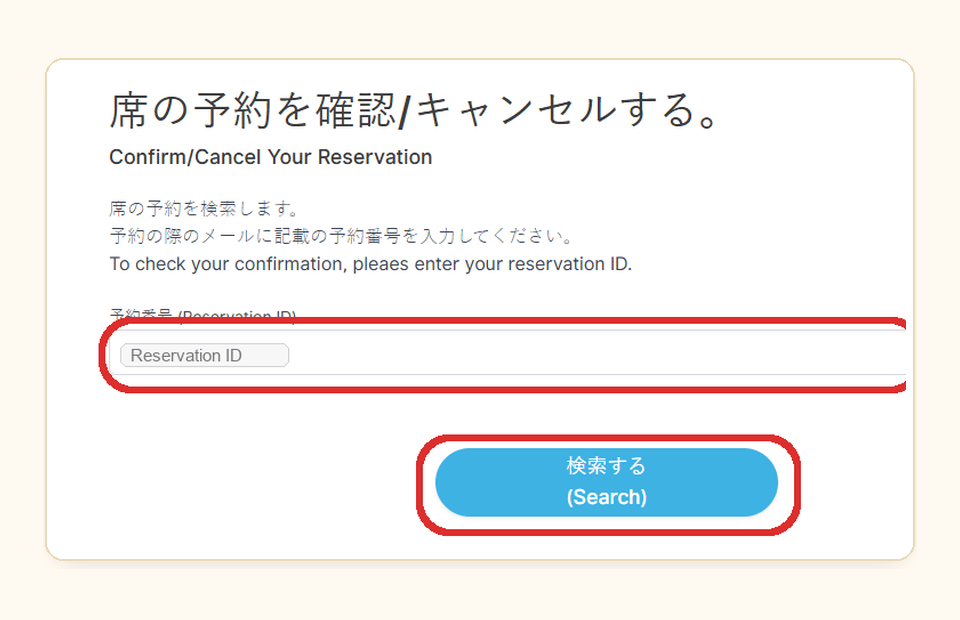
2. Enter your Reservation ID
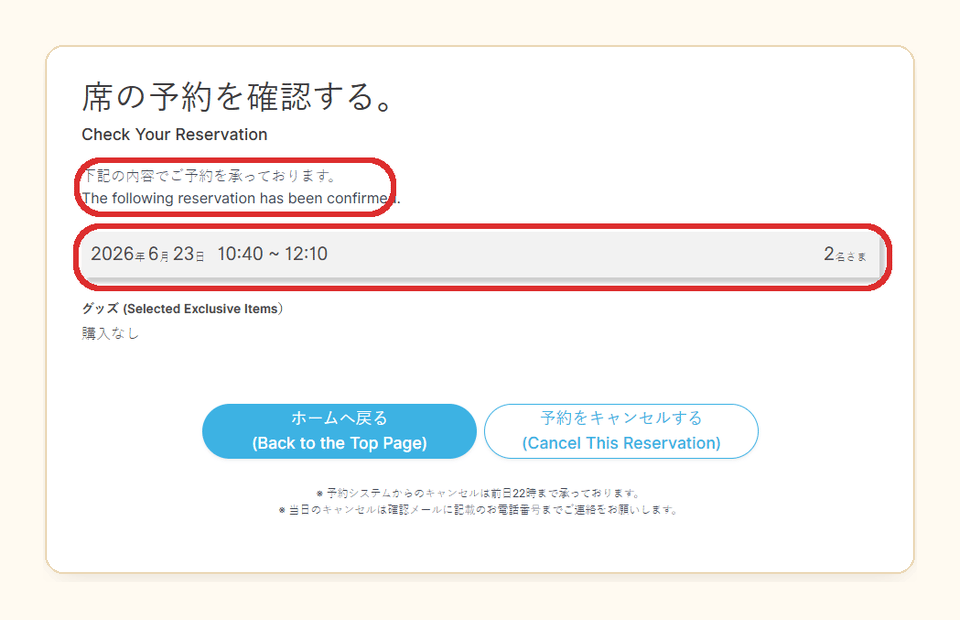
3. Confirm the details
Keep the confirmation safe
The confirmation email holds your reservation ID and the cancellation link. You need the reservation ID, and the phone number registered on the booking, to check or cancel on the official site, and you show the email at the cafe on the day.
Booked through BookingNavi? We forward the official confirmation email to you unchanged. If it hasn't arrived, check your spam or promotions folder, or look up your reservation ID on the official site.
Quick answers
Which email address does Pokémon Cafe send codes from?
Emails come from the domain @mail-pokemon-cafe.jp. Allow it in your spam filter and add it to your contacts before you book.
How long do I have to enter the Pokémon Cafe verification code?
Only a few minutes, so keep your inbox open while you book and enter the code as soon as it arrives.
I didn't get a confirmation email. Do I have a reservation?
Not necessarily. The official FAQ says the reservation may not have been completed, so check with your reservation ID on the official check page before you rely on it.