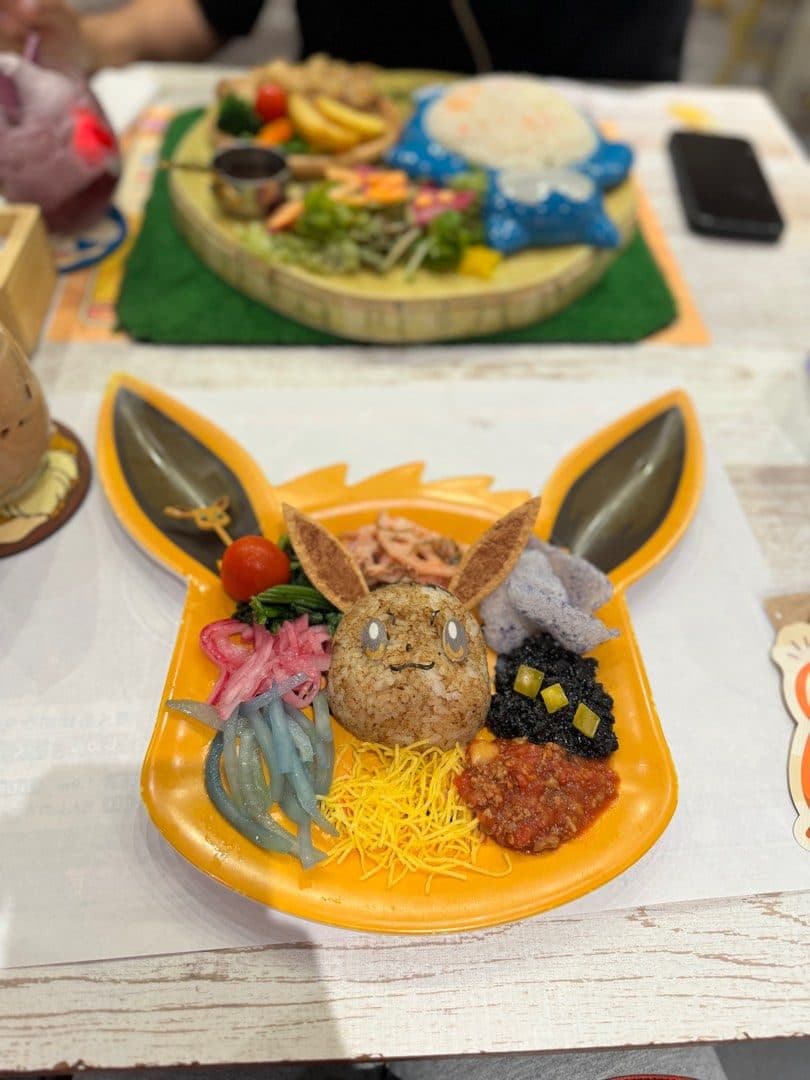
How to Book Pokémon Cafe Tokyo & Osaka (2026 Step-by-Step Guide)
Pokémon Cafe in Tokyo (Nihonbashi) and Osaka (Shinsaibashi) is reservation-only, and popular times are usually gone within minutes of release. This guide walks through the official booking process step by step, so you're ready when reservations open.
Last checked against the official site: 16 October 2026

Before you start: what you need
- An email address that can receive verification codes from @mail-pokemon-cafe.jp (check your spam filter).
- The name and phone number to register on the reservation.
- Your exact party size. Children of every age count, including babies.
- A few dates, times and seat types that work for you, so you have back-ups ready.
Each email address can hold only one reservation at a time. If you want to book more than one date, you need a different email address for each booking.
Step 1: Check when your month opens
Reservations are released a month at a time. As of October 2026, every slot for the following month opens at 18:00 Japan time (UTC+9) on the 1st. For example, all of November 2026 opened at 18:00 on 1 October 2026.
The cafe can change this schedule, so read the notice on the official reservation site a few days before release day. Our guide to release times converts 18:00 Japan time for other time zones.
Step 2: Choose your branch and party size
Tokyo and Osaka use separate official reservation pages. After agreeing to the booking rules, you choose how many people are coming (one booking covers up to six).
For groups of seven or more, make separate bookings, each with a different email address. The party size cannot be changed after the booking is complete, so choose carefully.
Step 3: Pick a date, time and seat type
Each seat type accepts a different range of party sizes:
- Tokyo: A seats 2–4 people, B seats 1–2 people, C seats 1–6 people.
- Osaka: A and B seats 2–6 people, C seats 1–6 people.
You can choose the seat type but not a specific table. Every reservation is a 90-minute slot.
Step 4: Enter your details and verify your email
Enter the name, phone number and email for the reservation. The site then emails a verification code, which needs to be entered within a few minutes. Keep your inbox open so you can enter it straight away.
Step 5: Add merch (optional) and confirm
Before confirming, you can add reservation-only merchandise to collect at the cafe on the day. After you confirm, you'll receive a confirmation email with your reservation number.
Keep the confirmation email. You need the reservation number (and the registered phone number) to check or cancel the booking on the official site.
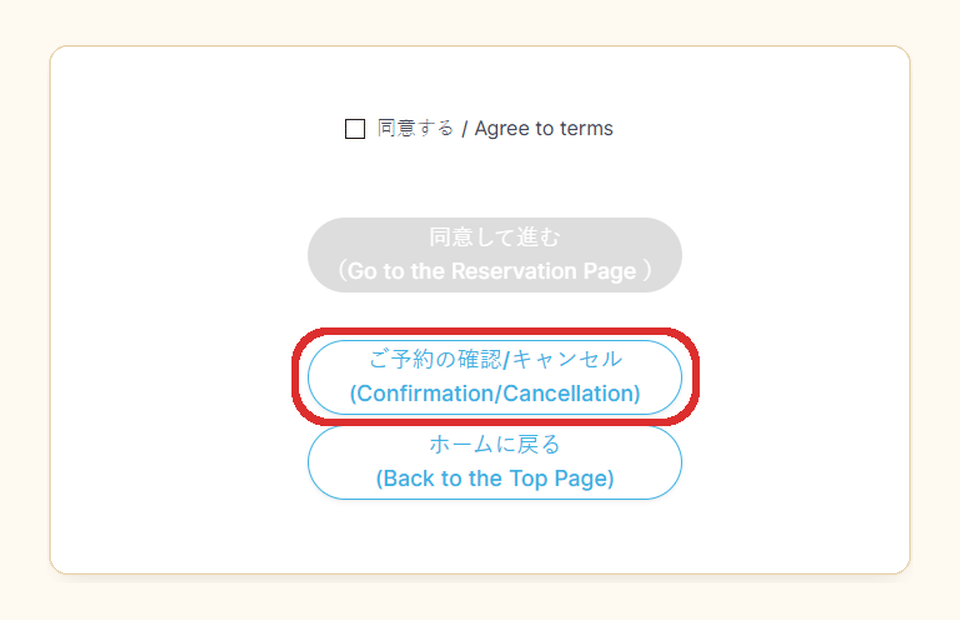
1. Open the confirmation page
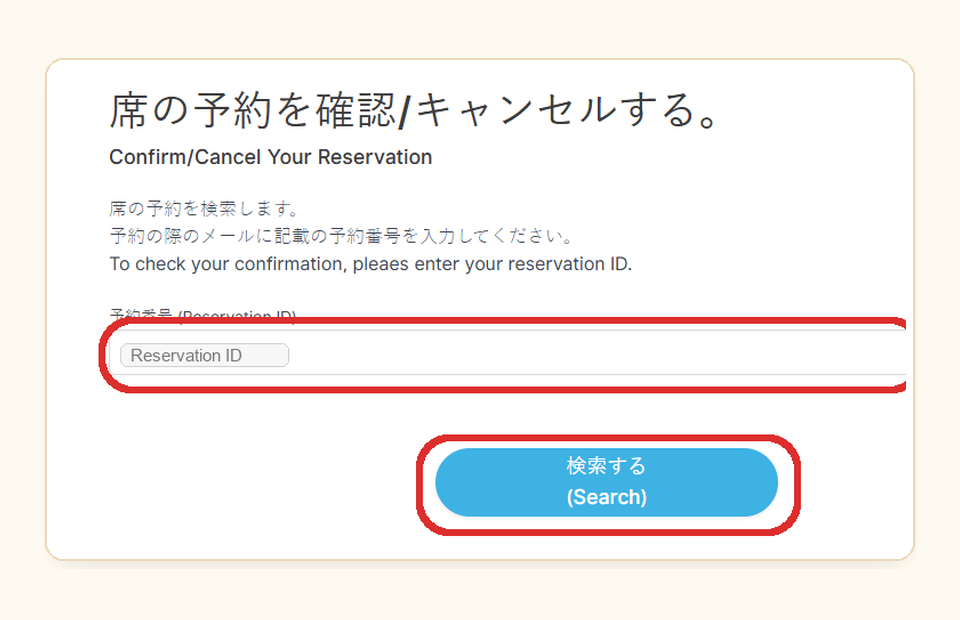
2. Enter your Reservation ID
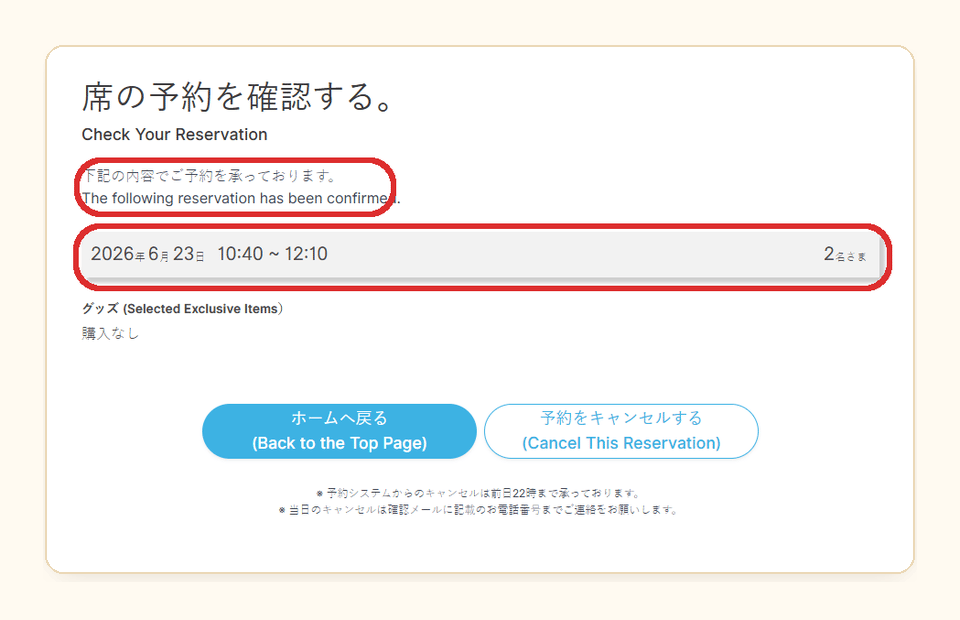
3. Confirm the details
If the time you want is sold out
Seats come back whenever other guests cancel. Online cancellations are accepted until 22:00 Japan time the night before the visit, so released seats can appear at any time, especially in the days before your date.
Walking in without a reservation is only possible when there are same-day cancellations, and those seats are offered at the cafe entrance.
After you've booked
Arrive early: 15 minutes before your time in Tokyo (10 minutes for the first A-seat slot at 10:40) and 10 minutes before in Osaka. If you're 10 minutes late without contacting the cafe, the reservation is cancelled automatically, even if your train was delayed.